 WAI
WAI🎬 Make a video Free New
Put your clips and photos together, cut them, add a title, captions and music, and save an MP4. Wai Studio makes the video on your own device - nothing to upload, no waiting in a queue, nothing to pay.
- Open the video editor and drop in your clips and photos.
- Cut, reorder, add a title, captions and music - or simply write what you want: "cut the pauses, add a title".
- Press Export. The MP4 is made in your browser and saved on your device.
Any WAI answer can become a video too: press 🎬 Make a video under the answer - every section becomes a scene.
🎨 Make a picture Free New
Write what you want to see and Wai Studio draws it - a few pictures every day are free. Product photos, real-estate shots, background removal and short AI clips are in WAI's own studio.
- Open Image and write what you want to see.
- Pick a style and a size - square, wide or phone.
- Download it, or add it to your video with one tap.
📄 Reports, decks and PDFs
Every answer - with its map, weather and tables - can be saved as a landscape PDF report, turned into a deck, a Word or an Excel file, or into a short video.
- Ask WAI your question.
- Under the answer press 📄 WAI Report (PDF) - or ✨ Create for a deck, Word or Excel.
- Press 🎬 Make a video to turn the same answer into a video - free.
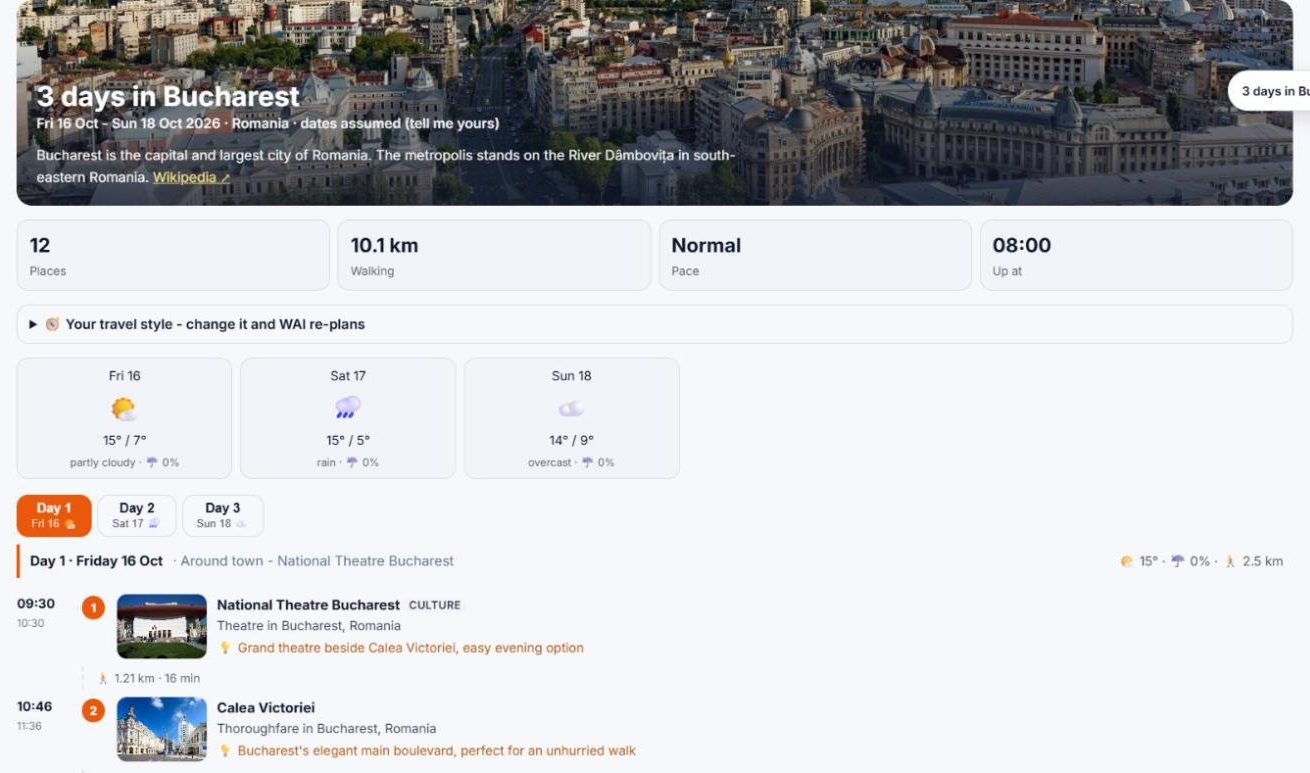
🧳 Trips, day by day New
Write where and how many days. WAI plans every day with the sights, meals, the weather and events that fit your dates - on a map, ready as a PDF.
- Write the place and the number of days.
- WAI plans each day on a map, with the weather for your dates.
- Save it as a PDF, or make a video of the trip.
🚶 City walks in 3D New
A walking route through the best sights of a neighbourhood, in walking order, on real footpaths - then fly it in 3D like a walker or a drone and save it as a video.
- Write a city or a neighbourhood.
- Open the 3D view and fly the walk as a walker or a drone.
- Save the fly-through as a video.
🥾 Hiking trails in 3D New
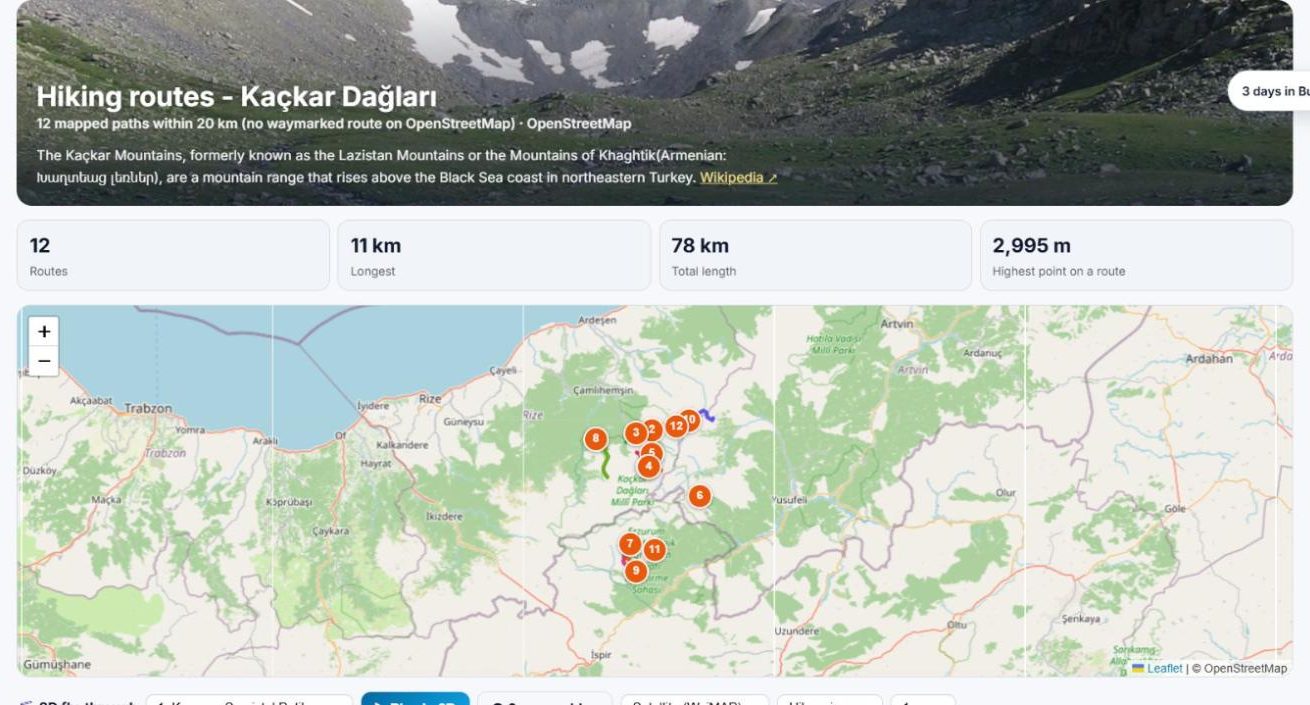
Marked trails with distance, height gain and a height profile, a 3D fly-through over the real terrain, the conditions for the day you plan, and the route as a GPX file. Or browse every marked hiking and cycling route on WAI's free trail map - open to everyone.
- Open the free trail map, or ask WAI for trails near a place.
- Pick a route: see its profile, the best season and the conditions for your day.
- Fly it in 3D, or take the GPX with you.
🚗 Road trips
From A to B over several days: where to sleep each night, kilometres and driving hours, countries on the way, the elevation, and fuel and hotels along the road.
- Write the start, the end and the number of days.
- WAI splits the drive into days with a stop for each night.
- Open the 3D fly-through or save the plan as a PDF.
💼 WIP Lounge - your mail and calendar
Connect your Outlook, Hotmail or Gmail (read-only) and WIP Lounge sorts what needs you today: the promises and deadlines hidden in your mail, who you are waiting for, drafts of replies you send yourself, a morning brief by e-mail, your tasks and your team. WAI never sends, deletes or changes anything in your mailbox.
- Sign in and open WIP Lounge.
- Connect your mailbox - read-only, you can disconnect at any time.
- Read today's brief, ask about your mail, and get alerts on Telegram if you like.
📱 WAI on Telegram
Link Telegram once and WAI reaches your phone: reminders, new-mail and other alerts, in your language. Send a voice note or a short command back - /help lists them, /mute 2h gives you quiet.
- Sign in and press Link Telegram.
- Telegram opens - press Start.
- Choose which alerts you want. That is all.
📎 Your files and Google Drive
Attach PDFs, Word, Excel, PowerPoint or e-mails - or pick them straight from Google Drive - and ask about them. Large batches get a summary of every file.
- Press + in WAI's box and add a file, a folder or files from Google Drive.
- Ask your question about them.
- Save the answer as a report.
📍 Places near you
Share your location once (only for that question) and get pharmacies, restaurants, fuel or anything else around you - with opening hours and a map.
🏢 Companies at a glance
Who they are, key figures, their legal entities from the public LEI register and where their offices are - with the latest news.
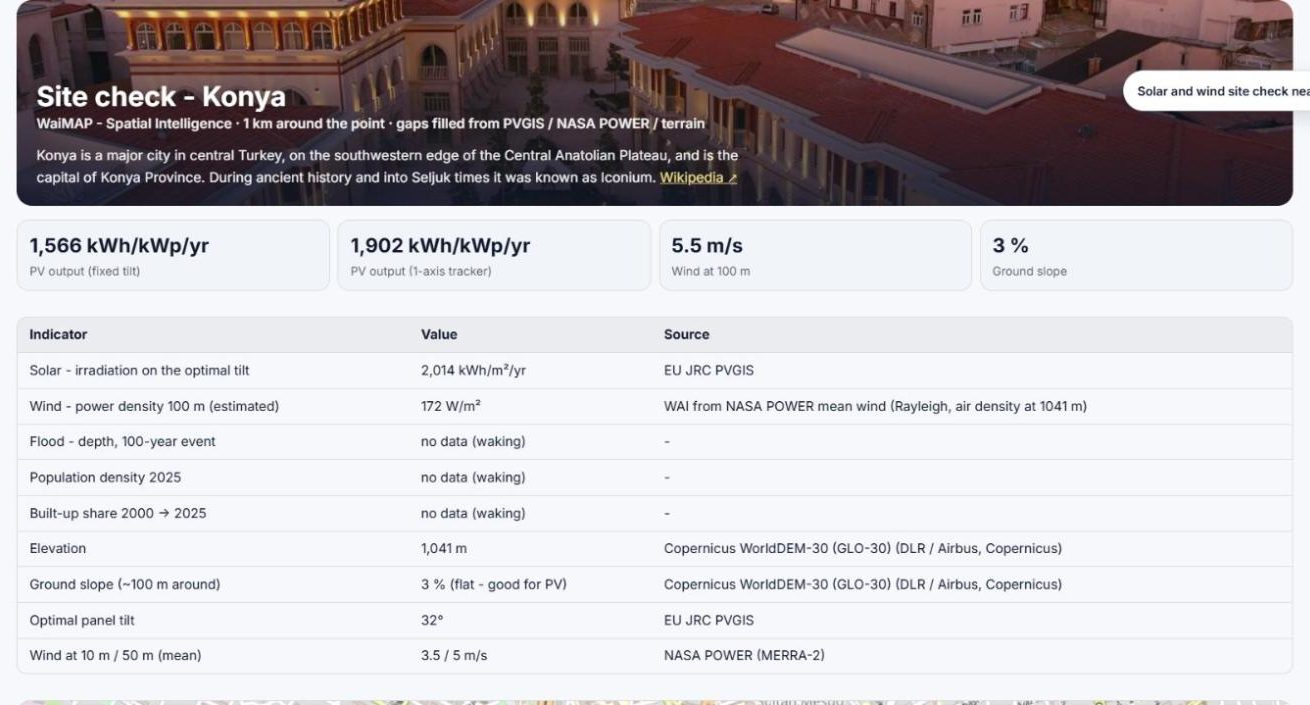
☀️ Solar and wind site check
Point at a place: sun, wind, height and slope, the expected solar yield per kWp and wind speeds at hub height - from 30 years of satellite and weather data.
🧠 WAI learns on its own
WAI reads trusted pages by itself - encyclopedias, research papers, governments, universities, engineering companies - in any format, keeps only answers it can check against them, and answers the same question again at once, with its sources.
🎙️ Talk to WAI, on your phone
Add WAI to your home screen like an app. Speak your question and WAI answers out loud and listens again - a real conversation, hands free. Share a link or a place from any app straight into WAI.